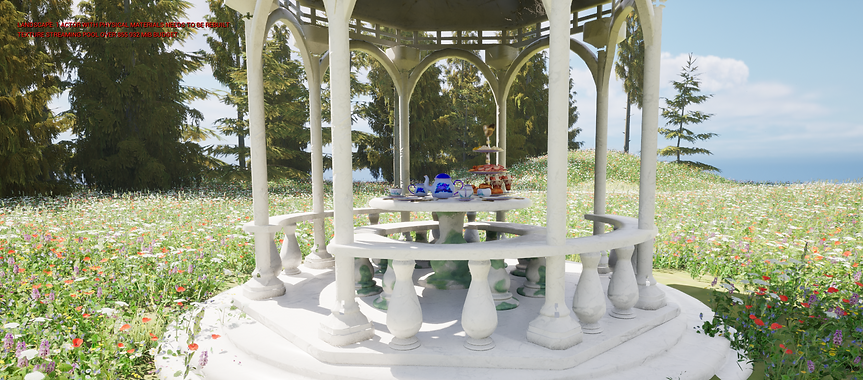
Tea Party at the Gazebo
Below are the differences between doing the same project twice. I had done the project originally in 2022 but completely lost the files after I forgot to upload a version of it in the Google drive. Luckily I had an old version backed up to salvage a few models for the second version of the project.
The old versus the New Tea Party Setting:

The Old Reel:

The New Look:


Rebuilding and Redesigning Process:
One of the first things I wanted to do during the recreation of this project was to take a look at my old models. Many of which were good, but most needed to be altered, recreated, or given new UV's.
I then began to remodel many objects, including the gazebo, food, and some dishware. I also redrew the hydrangea design for the dishes. I wanted to show my improvement in my overall building process, even thought it would only be evident to myself.


One of the most relaxing parts of the project was resetting the scene with the finished food, dinnerware, table, and the gazebo itself. Once everything was in place, I exported the models and their textures to Unreal Engine.
Unreal Engine was a program I wanted to integrate into this project, since there are plenty of free grass, flower, and cloud assets I could use to really bring the environment to life.
Wireframes and Texture testing:


Once the models were created, I checked the wireframes to make sure there were no places that could cause the mesh to cut into itself. Any strange meshes would have trouble being imported into Unreal Engine. A smooth, and clean mesh would also make cutting UV's for texturing easier.
I textured all of the models in Adobe Substance Painter, while gathering outside textures from free sources such as Polyhaven. I checked with a quick lighting test to make sure the textures were working properly in Maya, before arranging the scene in a new file. The new file served as an editable version of the final .obj sent into Unreal Engine.


And here are some of the final renders from Unreal Engine!